NudgeQ
NudgeQ is a standalone desk object I designed and built to explore whether tactile interaction, AI-generated micro-actions, and physical state changes can reduce the friction of starting a task—without opening another app.
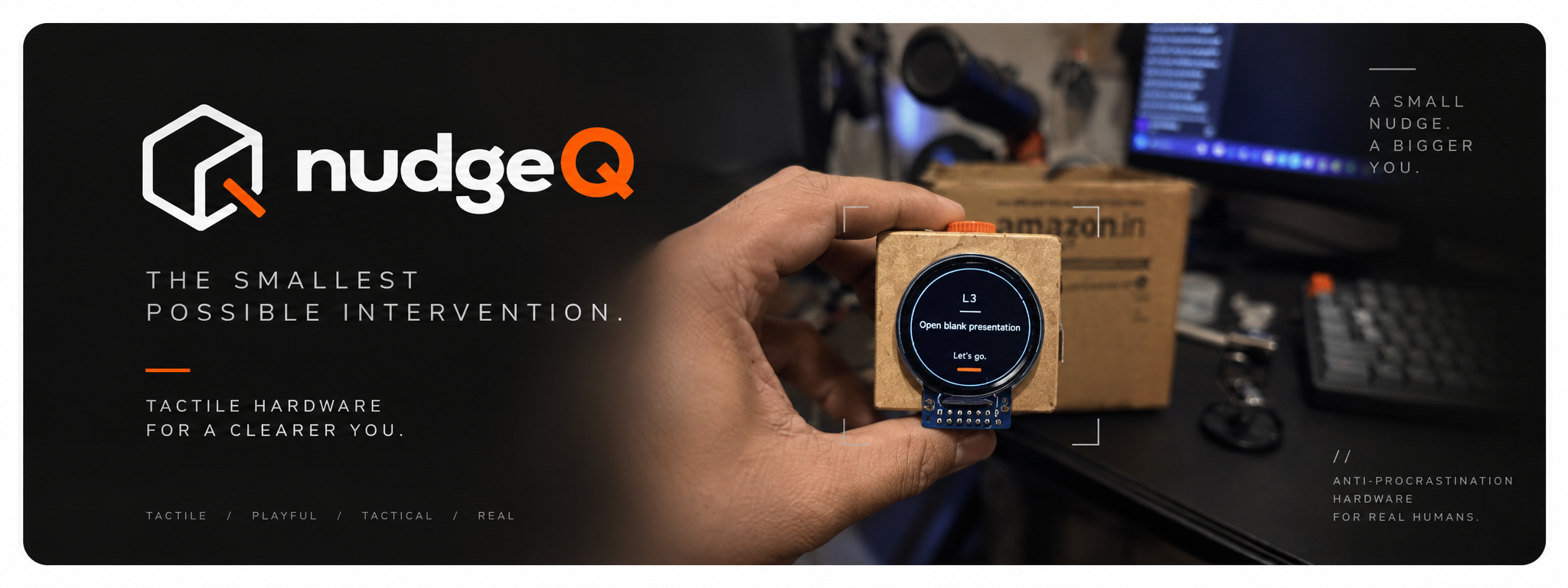
SIFT exposed a narrower problem: when task-start friction is already high, opening another app, explaining the problem and reading a long response can become part of the friction.
What if breaking inertia could begin with a low-information, tactile interaction — something physically present on the desk rather than another destination on the phone?
I built NudgeQ as a standalone tangible prototype using an ESP32-S3, circular display, rotary input, orientation sensing and AI-assisted three-level task decomposition.
The current prototype proves the interaction and hardware pipeline can work as a physical system. Whether the interaction meaningfully improves task initiation remains a hypothesis to test through continued use and evaluation.
I had already built a tool for getting unstuck. Then I realized using it required being unstuck enough to use it.
SIFT explored a software-first approach to cognitive friction: articulate what is happening, let AI break the thought apart, then use that structure to find a way forward.
But informal use exposed a contradiction. In moments when I was already overloaded or unable to initiate, opening a phone, explaining the problem and reading through an AI response could itself become another task.
And it lived inside a device already full of competing stimuli.
What if I stopped asking the user to think their way into action?
I wasn't trying to build another task manager. I wanted to explore a physical initiation interface.
I wasn't designing around "productivity." I was designing around moments of friction.
Question: Knowing what to do does not automatically make the first action easy.
Question: Organizing, prioritizing and structuring a task can add decisions before work begins.
Question: A digital task disappears from the physical environment when the app disappears.
Question: Starting can feel open-ended when the work period has no visible boundary.
Question: Could an object the hand naturally wants to touch reduce the ritual required to engage with a tool?
I gave the object rules.
- No app required. Core interaction happens on the object.
- One intention at a time. No backlog of overdue tasks.
- Less information, not more. Show only enough to create movement.
- Physical actions should carry meaning. Press, rotate and reorient map to distinct states.
- Play over guilt. The object should invite touch rather than remind the user of everything unfinished.
Every physical action needed a reason to exist.
| Friction | Physical Response | Intent |
|---|---|---|
| Typing/structuring feels expensive | Hold + speak | Capture raw intent |
| Task feels too large | AI decomposes | Reduce ambiguity |
| Menus add choices | Rotate dial | Traverse only 3 levels |
| Starting needs commitment | Reorient cube | Turn planning into action |
| Time feels unbounded | Visible countdown | Externalize the interval |
| Device risks becoming another tool | Fidget / ambient clock | Passive desk utility |
speak intent
decompose
traverse
settle action
start execution
countdown
I deliberately made the AI less capable.
An LLM can decompose a task almost indefinitely. Infinite decomposition sounded powerful, but it could turn the dial itself into another avoidance loop (rotary procrastination).
I constrained the AI to exactly three layers:
- L1 — MACRO INTENT: "Finish your resume."
- L2 — FRICTION REDUCTION: "Open the resume file."
- L3 — ATOMIC STARTER: "Click the file."
I wanted granularity to feel mechanical.
A touchscreen control would have been easier. But this project was testing whether physical interaction could externalize a cognitive transition. Each encoder detent makes the movement from an abstract intention toward a smaller action something the hand can literally step through.
I didn't want "Start" to be another button.
Planning and execution are different states. Instead of representing that transition only with UI, I wanted the object itself to change state.
think / choose
start / focus
[QMI8658 IMU detects orientation / gravity vector]
The interaction became believable long before the object became beautiful.
Question: Can AI help structure cognitive friction?
Learned: The interaction itself could become expensive.
Early XIAO ESP32-S3 Sense, round display, IMU/encoder exploration and audio capture.
Question: Can voice → AI → physical control → display work end-to-end?
Learned: The loop was technically feasible.
An accidental 3.3V/GND solder bridge forced me into board debugging, continuity testing and rework before the prototype could continue.
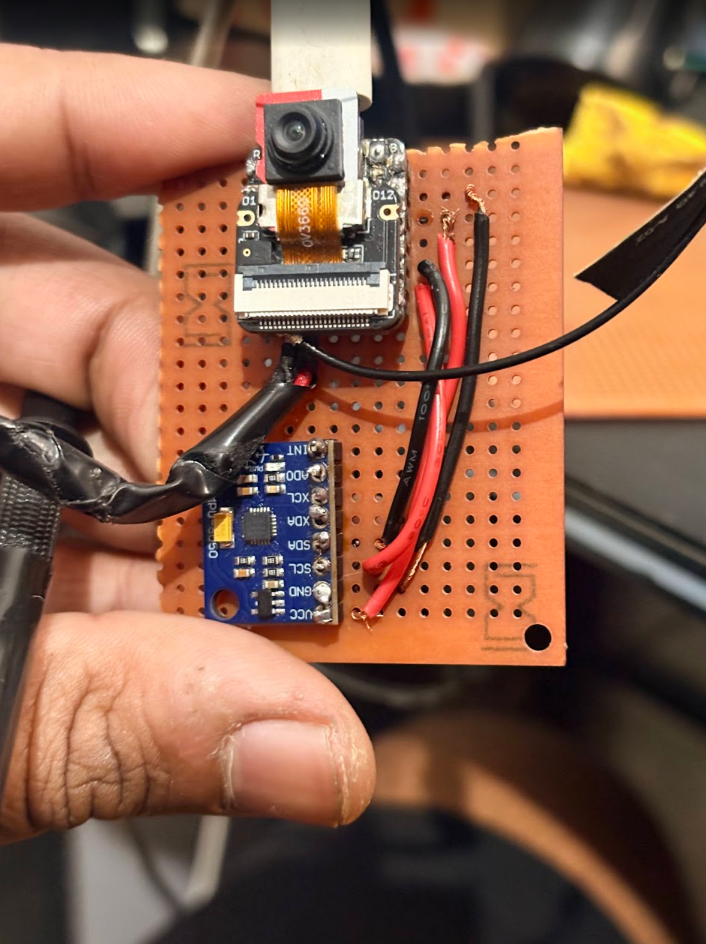
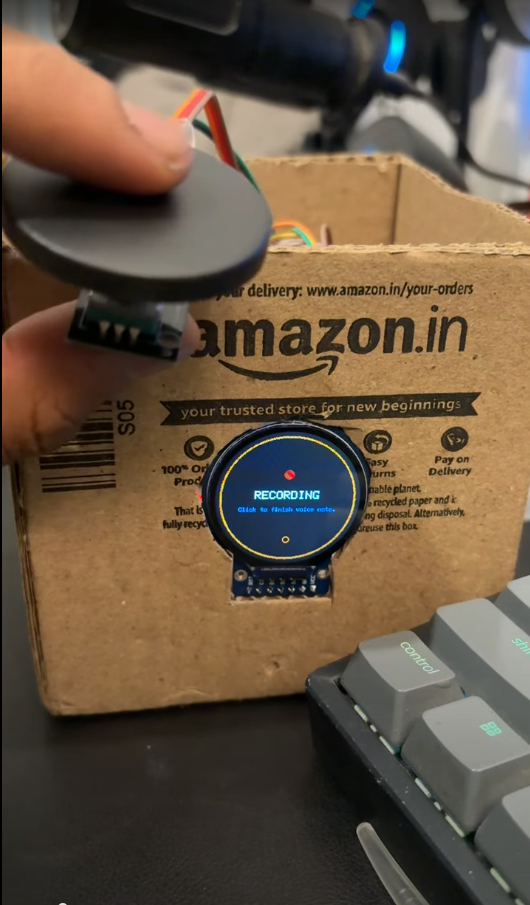
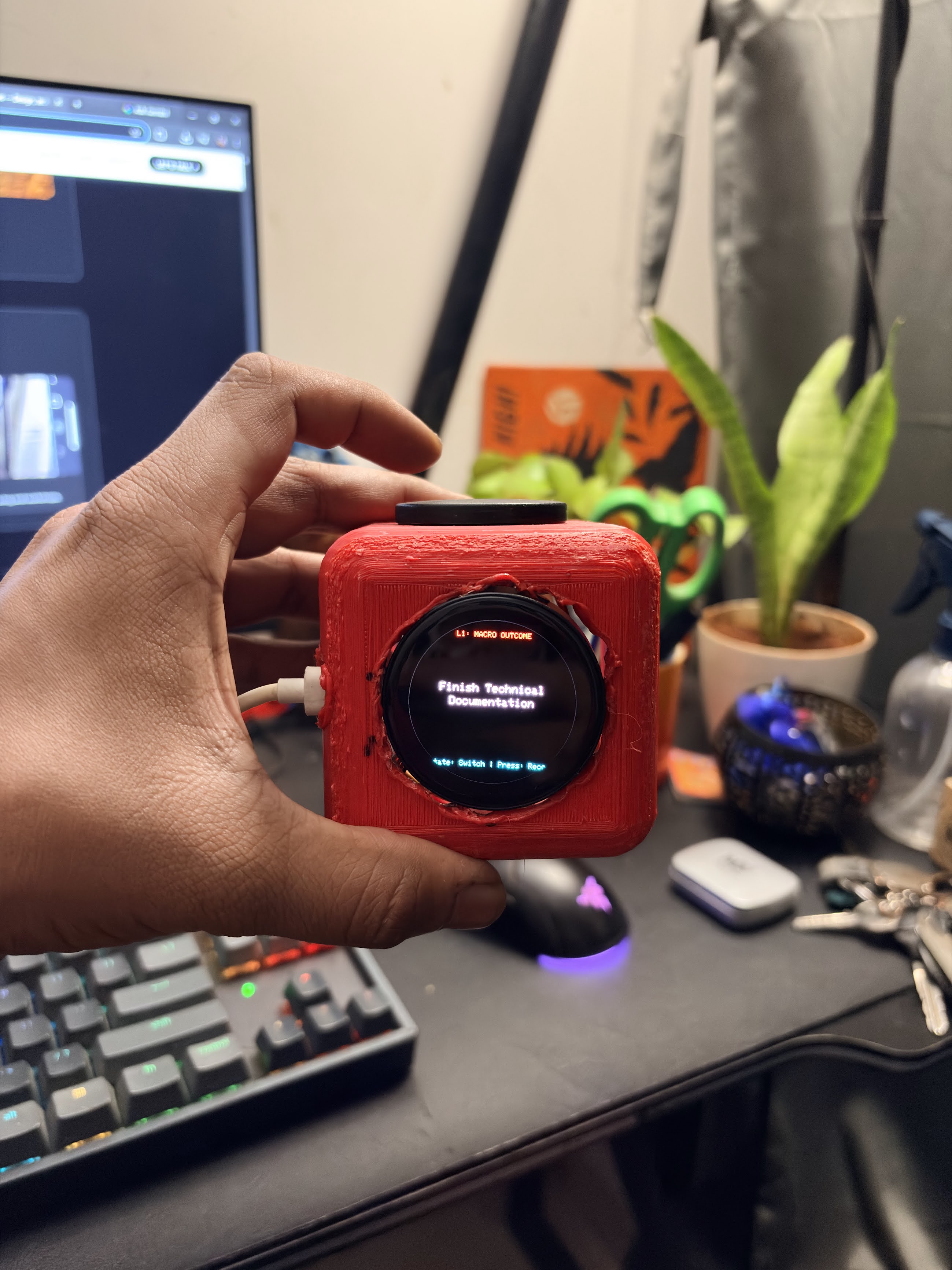
The first complete interaction lived inside a cut-up delivery box: screen, rotary input, microphone, IMU and exposed wiring.
Proved: VOICE → GEMINI → L1/L2/L3 → DIAL → ORIENTATION → TIMER
Feasibility was proven, but the object still felt like a science project. That shifted the question from "does the loop work?" to "can the physical form itself make the interaction inviting?"
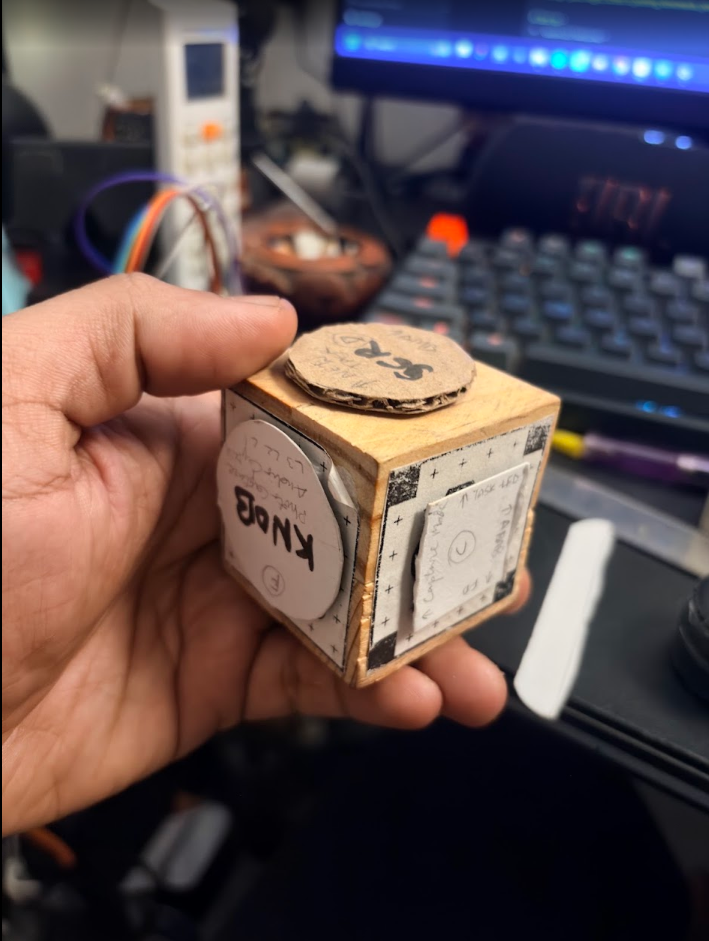
I mocked the object at roughly 50 × 50 × 50 mm using a simple wooden block and screen/dial markers.
- Round display dominated the front face.
- Top dial became naturally thumb-accessible.
- Cube fit the hand.
- It began to feel like a tactile object rather than a small appliance.
Exploring display depth, encoder support, thumb force, internal clearances, wiring, and chassis structure.
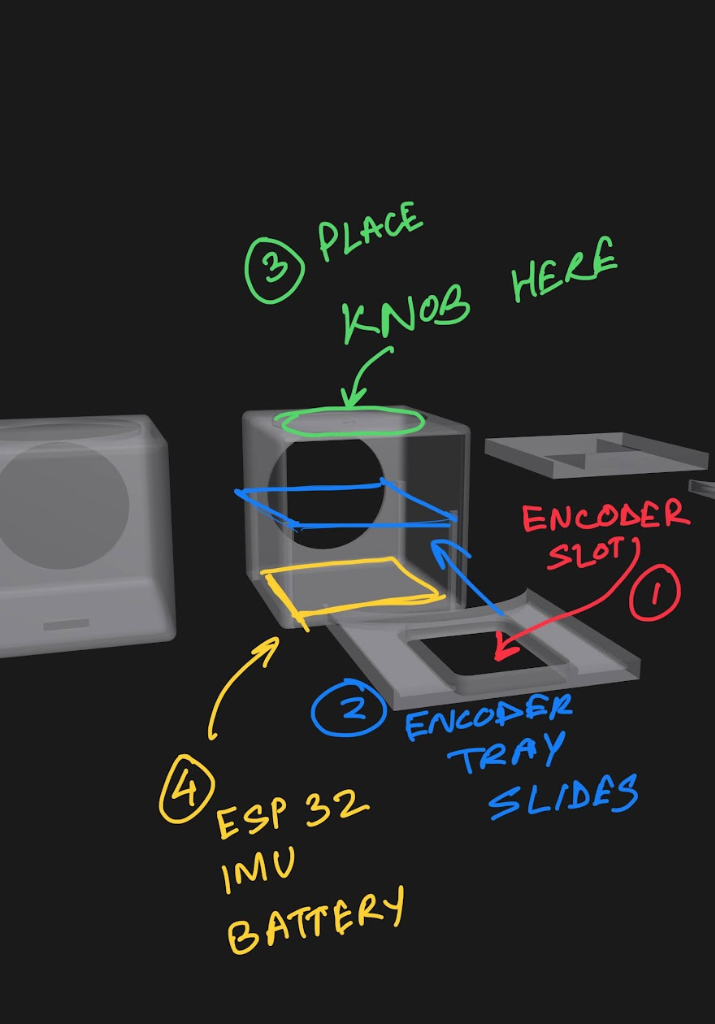
The actual current stack: Waveshare ESP32-S3 Touch AMOLED 1.43, onboard QMI8658 IMU, external PDM microphone, EC11 rotary encoder, custom 3D-printed enclosure.
One physical loop, from voice to movement.
Transcription and decomposition happen in one multimodal inference. The resulting hierarchy is stored locally so dial traversal does not require another model call.
VIEW ARCHITECTURE & HARDWARE SPECS +
Hardware Evolution: XIAO ESP32-S3 EXPLORATION → MODULAR SCREEN + IMU + ENCODER → INTEGRATED 1.43" AMOLED / IMU PLATFORM → CUSTOM 3D-PRINTED ENCLOSURE
The system buffers audio directly into PSRAM via an I2S PDM task, streams via HTTP POST to a Vercel-hosted FastAPI proxy, and receives a strictly constrained JSON response back. This eliminates the latency and cost of multi-vendor chaining (separate STT + LLM calls).
Starting was only half the problem. Time needed a shape too.
Once the first action begins, the cube can transition into a visible countdown/focus state. The goal is not to become a full Pomodoro system; it is to give an otherwise abstract work interval a persistent physical presence on the desk.
I also prototyped a small desk-plant growth state as a lightweight visual reward. It remains an interaction experiment rather than a validated behavioral mechanism.
What happens after the novelty wears off?
A dedicated device can easily become desk clutter. I didn't want usefulness to depend entirely on remembering to start a focus session. My design responses to abandonment risk include an ambient clock for passive utility, a fidgetable dial for tactile use outside sessions, and zero retention to prevent a guilt backlog.
These are design responses to abandonment risk—not proof that the problem is solved.
CURRENT LEARNINGSThe prototype works. The object still has a lot to teach me.
Observation: Rotary mechanism needs greater support / less wobble.
Next: Recess encoder and improve internal support.
Hypothesis: A more grounded object may make rolling/fidgeting feel more deliberate.
Next: Test ballast and heavier variants.
Question: Can state changes be felt without looking?
Next: Prototype LRA feedback.
Observation: Current print tolerances make the display read as a component in an enclosure.
Next: Explore flush lens / refined bezel / tighter chassis.
The IMU makes six-face interaction possible. That does not mean all six faces need a mode.UNANSWERED
A working prototype is not proof that the behavior works.
- Does it actually reduce task-initiation friction? Needs repeated real-world testing.
- Does it remain useful after novelty fades? Needs longitudinal use.
- Are three levels actually right? Current constraint is a design hypothesis.
- Does physical reorientation help commitment—or just feel clever? Needs observation with people other than the maker.
The next phase of NudgeQ is less about adding features and more about testing whether the interaction earns its place on a desk.
One project forced me across disciplines.
interaction model · physical affordances · states · task hierarchy
dimensions · screen/dial placement · packaging · enclosure iterations
component selection · breadboarding · wiring · hardware debugging
ESP32 logic · encoder · IMU · display states · Gemini multimodal · FastAPI proxy
NudgeQ made me stop treating the screen as the default place for interaction.
SIFT taught me that the right logic in the wrong interaction context can still create friction.
Three AI levels, one active task and a tiny display force the system to decide what matters.
I could reason about the cube endlessly in Figma or CAD. Holding a 50 mm block answered questions those tools couldn't.