XR & SPATIAL COMPUTING
Exploring spatial interfaces, direct hand tracking, and 3D interaction frameworks beyond the boundaries of 2D glass.
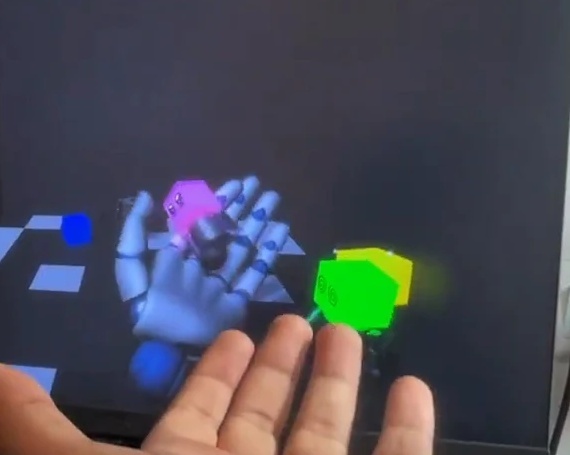
As interaction moves into 3D space, translating 2D flat UI windows directly into spatial environments creates ergonomic fatigue and cognitive confusion.
Prototyped a suite of spatial interaction mechanics: direct hand-pinch manipulation, volumetric spatial anchors, haptic feedback triggers, and embodied spatial menus.
Spatial interactions feel natural only when they respect human kinesthetics, physical depth cues, and subtle micro-gestures rather than full-arm waving.
THE LIMIT OF FLAT GLASS
Flat screens collapse 3D human reality into 2D pixel grids. For twenty years, software design has been about compressing space into lists, tabs, and buttons.
Spatial computing opens a different question: What happens when the interface shares the physical world with your hands, desk, and body?
"Do not put a 2D web page on a floating virtual wall. Use spatial depth for spatial tasks."
DIRECT HAND TRACKING & KINESTHETICS
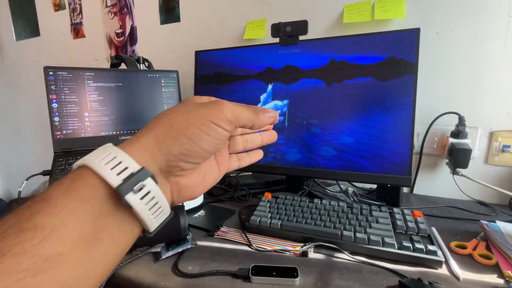
Controllers add abstraction. Direct hand tracking connects your proprioception—your innate sense of body location—directly to virtual objects.
PHYSICAL WORLD ANCHORING
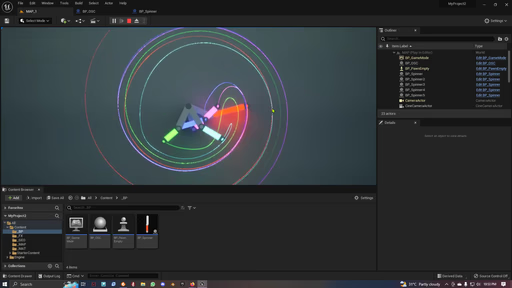
In spatial computing, virtual objects persist in physical space. A virtual tool anchored to your actual physical workbench remains there when you turn away and return.
THREE SPATIAL EXPLORATIONS
Resting hand pinch gestures instead of floating arm gestures.
"Gorilla arm" fatigue occurs when users hold their hands in the air. By allowing subtle thumb-to-index pinches while hands rest on a lap or desk, long spatial sessions become fatigue-free.
Synthetic click acoustics when crossing virtual boundaries.
Without physical resistance in air, users struggle to know when a selection registers. Micro-second audio clicks synced to visual mesh compression restore tactile confidence.
WHAT KEEPS RECURRING
"The best spatial interface feels less like software and more like a physical tool."
Whether designing for Meta Quest 3, Leap Motion, or physical hardware like nudgeQ, the goal remains identical: remove unnecessary abstraction between human intent and system response.